

 DJI Enterprise
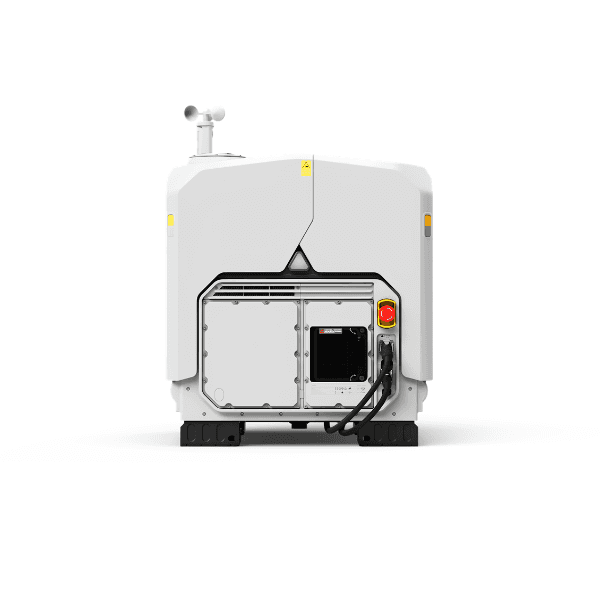
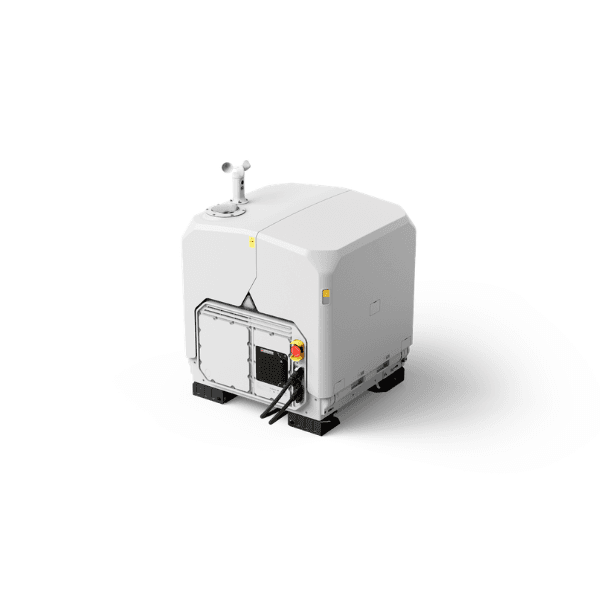
13 288,00 € Incl. VAT
Ready in Seconds for Rapid Response
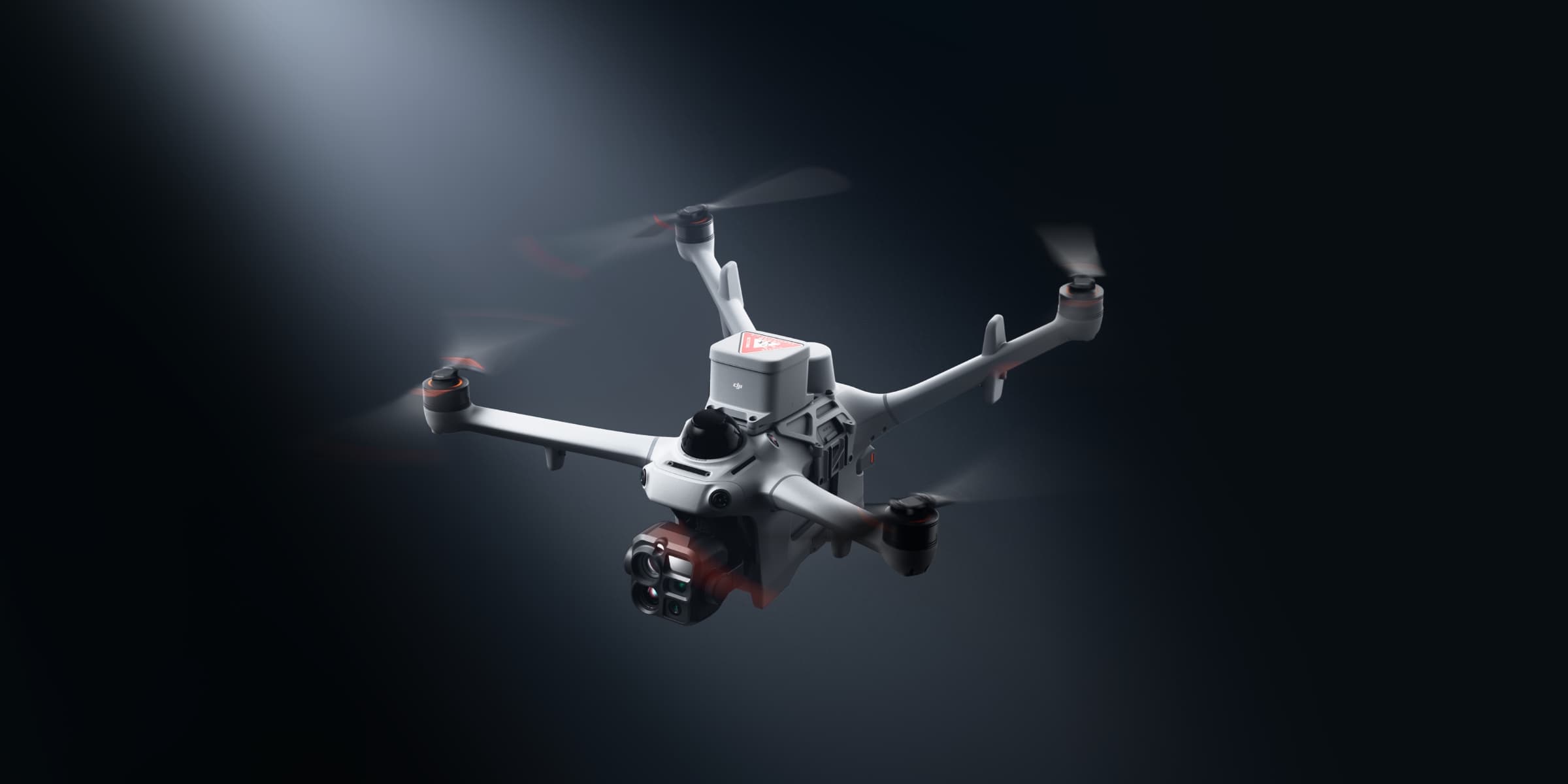
DJI Dock 4 swaps batteries in just 25 seconds[1], enabling 24/7 automated operations for urgent missions or continuous workflows. Its DJI Matrice 5TD drone integrates a wide-angle camera, an infrared camera, mmWave radar, LiDAR, and AI capable of detecting 17 types of objects. DJI O4 Ground Station[2] enables access to complex sites, while AI-powered workflows in DJI FlightHub 2[3] streamline every operation.
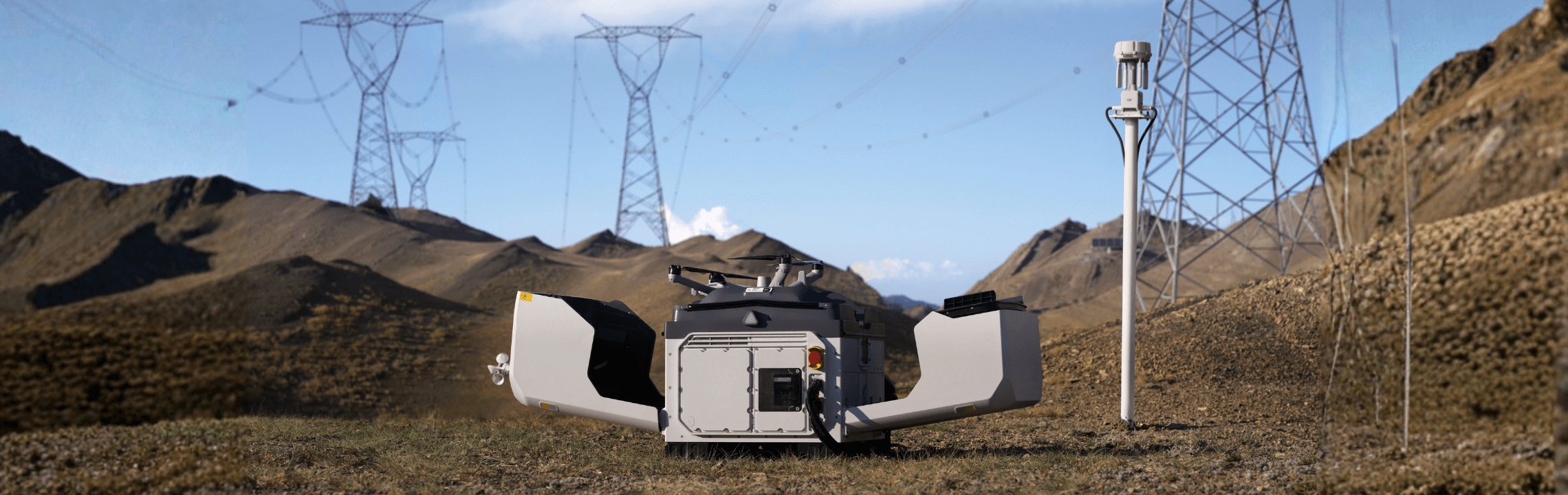
Immediate Takeoff in an Emergency, Ahead of Ground Teams
The drone takes off as soon as the Dock lid opens and heads to the scene at speeds of up to 21 m/s[4], arriving ahead of ground teams and instantly streaming live video.
Instant Takeoff
Once a command is issued, the drone takes off immediately without requiring an on-site pilot. Emergencies at night and on public holidays can be addressed within seconds.
This content is hosted by YouTube. By displaying it, you accept its terms of use.
Rapid Arrival at 21 m/s
With a maximum speed of 21 m/s[4], the drone flies directly to the incident site, regardless of traffic conditions, saving valuable time when every second counts.
This content is hosted by YouTube. By displaying it, you accept its terms of use.
Swap, Relay, and Keep Going
For continuous missions such as emergency response, the Dock automatically swaps batteries in just 25 seconds[1], reducing downtime between flights from 30 minutes of recharging to just a few seconds.
Battery Swap in 25 Seconds
Fully automated battery swapping takes just 25 seconds[1]. Data from the previous flight is transferred automatically during the swap.
This content is hosted by YouTube. By displaying it, you accept its terms of use.
Extended Flight Time
A single flight lasts up to 59 minutes[5], covering a larger area in one takeoff.
This content is hosted by YouTube. By displaying it, you accept its terms of use.
Wide Operating Temperature Range
Operating reliably from -40°C to 50°C, the Dock automatically preheats the batteries in cold weather and uses air conditioning in high temperatures.
This content is hosted by YouTube. By displaying it, you accept its terms of use.
Mission Relay
Two aircraft within a project can automatically alternate between different locations, with one in flight while the other remains on standby, ensuring uninterrupted situational awareness during emergency response operations.
This content is hosted by YouTube. By displaying it, you accept its terms of use.
On-Site Insights, Remotely and Precisely
With low-latency live streaming and high-speed data transfer, remote operators can access the scene in real time and make informed decisions from a remote location.
Low-Latency Live Streaming
A dedicated video transmission architecture reduces latency between the drone and the cloud to approximately 160 ms, a reduction of around 43% compared with the previous generation, delivering a smoother live view.
This content is hosted by YouTube. By displaying it, you accept its terms of use.
Interference-Resistant Transmission
Dual 4G modules, sub-2 GHz transmission, and an elevated O4 Ground Station ensure a stable connection in obstructed environments.
This content is hosted by YouTube. By displaying it, you accept its terms of use.
Fast Data Transfer
During battery swapping, the drone transfers flight data to the Dock via a high-speed Wi-Fi channel at an average speed of 80 MB/s.
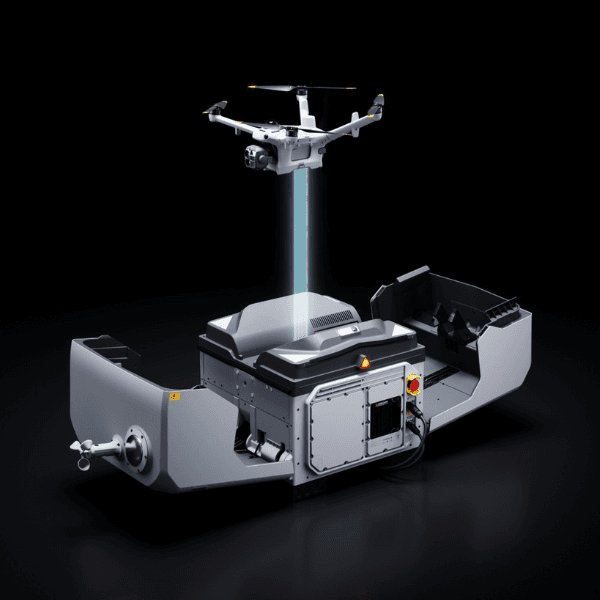
From Close-Up to Long Range, Day and Night
The Matrice 5TD combines telephoto imaging, thermal imaging, laser rangefinding, and color night vision, while delivering aerial mapping accuracy of up to 10 cm at 12 MP[10]. Daytime inspections, nighttime security, and mapping can all be handled by a single drone, eliminating the need to switch aerial platforms between scenarios and increasing the hardware ROI by 50%[24].
11× Telephoto Camera
With an equivalent focal length of 252 mm, it captures details on signs from 400 m away and detects defects in bolts and pins from 100 m away during power line inspections.
This content is hosted by YouTube. By displaying it, you accept its terms of use.
More Payloads, More Flexibility
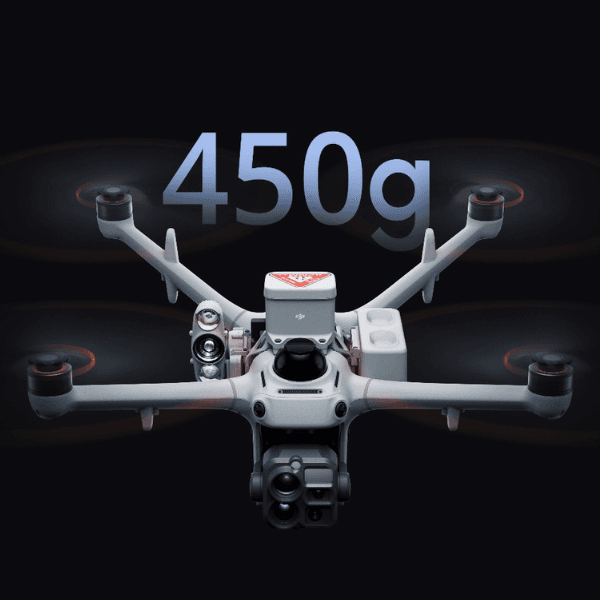
The Matrice 5TD supports a payload capacity of up to 450 g, with side PSDK mounts and an upper mount that can be used simultaneously. Pair and combine accessories[12] to suit the task at hand.
Maximum Payload of 450 g
With three mounting positions[13] and an effective payload capacity of up to 450 g, the drone can provide lighting, broadcasting, and ground security support in a single flight.
Speaker/Spotlight/Parachute Combo
Install a speaker, spotlight, and parachute to provide aerial voice guidance and layered illumination during nighttime search operations, while ensuring the safety of ground teams.
Customizable Built-In Warning Light
A customizable built-in warning light supports custom colors and flashing patterns, with no additional installation required.
Safe Flight, Even in Complex Environments
With a three-directional mmWave radar, a rotating LiDAR, and a six-directional vision sensing system working together, the Matrice 5TD delivers precise obstacle detection[15], even inside substations filled with energized equipment or around intersecting power distribution lines.
Wire-Level Obstacle Detection
By combining a rotating LiDAR, mmWave radar[14], and low-light color fisheye sensors, the system detects thin obstacles, including power lines, even at night.
This content is hosted by YouTube. By displaying it, you accept its terms of use.
Six-Directional Full-Color Sensing
The six-directional sensing system uses six high-resolution, low-light fisheye sensors to maintain obstacle detection[15][16], even under city lights at night.
This content is hosted by YouTube. By displaying it, you accept its terms of use.
Flexible Deployment for Complex Sites
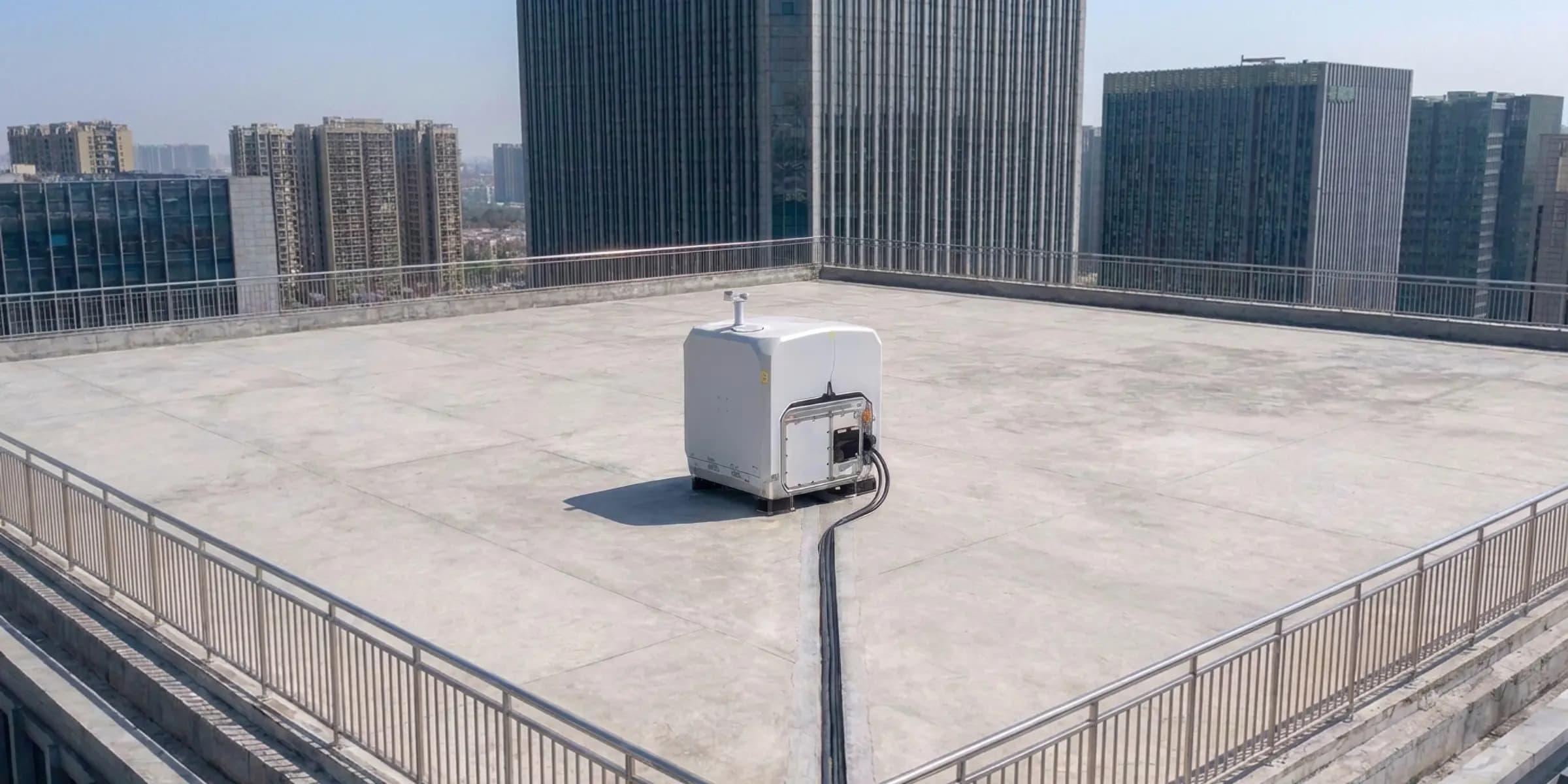
With the Matrice 5TD’s LiDAR and visual SLAM, anti-interference and anti-spoofing algorithms, and the DJI O4 Ground Station[2], the DJI Dock 4 can be deployed next to high-rise buildings[17] or on a vehicle-mounted mobile platform, coming soon[18].
Near High-Rise Buildings
Installing the O4 Ground Station on rooftops improves signal quality, allowing the DJI Dock 4 to be deployed near high-rise buildings or along the walls of electrical substations.
Vehicle-Mounted Deployment (Coming Soon)
The drone can take off when the vehicle is stationary and land at a new stop point once the vehicle reaches a new location.
Multi-Station Roaming
The O4 Ground Station supports multi-station roaming, allowing the drone to seamlessly switch channels between multiple areas covered by O4 Ground Stations to bridge signal gaps.
Safety, Even When the Unexpected Happens
From multi-drone detection and alerts to emergency landings, the Matrice 5TD is ready to handle the unexpected. A parachute cushions the descent to protect people and equipment on the ground, multi-drone detection and alerts help maintain airspace safety, and the RTH function with descent in strong winds brings the drone back safely, even in extreme weather conditions.
Sees More, Understands More
The Matrice 5TD’s onboard AI can now detect 17 types of objects in real time, while the Virtual Cockpit allows users to search for almost any type of object using text or images.
Onboard Detection
The Matrice 5TD performs real-time AI detection on live video feeds, covering 17 object types, along with infrared hotspot detection and support for third-party AI models.
This content is hosted by YouTube. By displaying it, you accept its terms of use.
General-Purpose Intelligent Detection
In the Virtual Cockpit, users can search for objects using text or images. The multimodal LLM interprets prompts, detects objects, and triggers alerts to enhance situational awareness.
This content is hosted by YouTube. By displaying it, you accept its terms of use.
From Alert to Action, Everything Is Automated
Once an anomaly is detected, the system can send SMS messages, emails, or platform alerts and trigger actions such as image capture, recording, tracking, or hovering, completing the entire cycle from detection to response.
Automated Workflows
Triggered workflows dispatch drones in response to third-party alerts, such as DFR calls. Periodic workflows automatically manage data collection, modeling, analysis, and report generation.
This content is hosted by YouTube. By displaying it, you accept its terms of use.
AI Post-Processing: Reports in Minutes
After each operation, the system uses AI to compare the latest data with historical aerial photos or 3D models, automatically annotate the results, and export a report.
Intelligent Post-Processing Detection
Compares historical aerial photos to automatically flag facility damage, ground changes, and newly constructed unauthorized structures.
This content is hosted by YouTube. By displaying it, you accept its terms of use.
DJI FlightHub 2: The All-in-One Cloud Platform
DJI FlightHub 2 combines rapid deployment, low-latency remote control, automated waypoint missions, real-time cloud-based detection, multimodal AI detection, post-processing, anomaly alerts, and OTA maintenance in a single platform. It covers every stage of operations, from deployment and mission execution to air-ground coordination and long-term maintenance.
DJI Enterprise App: Control at Your Fingertips
The DJI Enterprise app handles on-site configuration and serves as the entry point for remote operations. Beyond Dock configuration and debugging, it supports task initiation and remote viewing.
Reducing Ground-Level Risks
Featuring a DJI-designed parachute, customizable flight zones, and a flight control system built with regulatory requirements in mind, the DJI Dock 4 helps reduce flight-related risks and facilitates compliant operations in complex urban environments.
DJI Parachute System
A DJI-designed parachute reduces impact in the event of a sudden system failure.
Service and Support
DJI Dock 4 – DJI Care Enterprise Plus – First Year Free
- Free repair parts[22]. Unlimited service requests within the coverage limit.
- Fleet-wide coverage. Shared coverage for maximum protection.
- Expert service. Fast responses from DJI technical experts.
Dock – General
Product Name
DJI Dock 4
Total Weight
66 kg (excluding batteries stored in their compartments and the aircraft)
The actual product weight may vary due to differences between raw material batches and other external factors.
Dimensions
Dock cover open: 1750 × 640 × 550 mm (L × W × H)
Dock cover closed: 639 × 640 × 836 mm (L × W × H)
All data includes the height of the anemometer (145 mm) and the mounting base brackets (69 mm).
Input Voltage
100–240 V AC, 50/60 Hz
Input Power
Max. 2000 W
Operating Temperature
-40°C to 50°C
Ingress Protection Rating
IP56
Maximum Operating Altitude
5000 m
Number of Aircraft Supported
1
Maximum Permissible Wind Speed for Landing
12 m/s
RTK Base Station
Supported via DJI O4 Ground Station
RTK Base Station Satellite Reception Frequency
Supported via DJI O4 Ground Station
Dock – Charging Performance
Charging Method
Battery swapping + wireless charging
Battery Swapping Time
< 25 s
Time elapsed between the Dock cover closing completely and the battery swap being completed. This value was measured in a controlled test environment and is provided for reference only.
Operational Turnaround Time
< 45 s
Time elapsed between the aircraft landing and taking off again after the battery has been replaced. This value was measured in a controlled test environment and is provided for reference only.
Maximum Number of Batteries Stored Across All Battery Compartments
3
The Dock has four battery compartments, each designed to hold one battery. To ensure the battery-swapping mechanism operates correctly, no more than three of the four compartments may contain a battery at any one time.
Maximum Number of Parallel Charging Channels
2
Output Voltage
Output voltage per channel: 15–25.8 V DC
Charging Time
Charging time per battery: 27 min
Time required to charge the battery in the battery compartment from 15% to 95% at an ambient temperature of 25°C.
Dock – Video Transmission
Operating Frequency
High-speed Wi-Fi connection:
2.4000–2.4835 GHz: < 23 dBm (IC), < 20 dBm (CE/SRRC/MIC)
5.7250–5.8500 GHz: < 23 dBm (IC/SRRC), < 14 dBm (CE)
DJI O4 Enterprise Enhanced Video Transmission System
Supported via DJI O4 Ground Station
Supported operating frequency bands and their availability vary by country or region. Please refer to local laws and regulations for details.
Antenna
High-speed Wi-Fi connection: single antenna
DJI O4 Enterprise Enhanced Video Transmission System: integrated into DJI O4 Ground Station
Dock – Climate Control System
Climate Control Type
Compressor-based air conditioning
Operating Voltage
48 V DC
Dock – Backup Battery
Backup Power System
Backup power is supplied by the aircraft battery housed in the Dock’s battery compartment.
Battery Capacity
12,138 mAh
Output Voltage
21.42 V
Battery Type
LiNiMnCoO₂
Operating Time
Operating time per battery: approx. 4.5 hours
Supports sequential power supply from three batteries
Measured at 25°C, with the backup battery discharged from 90% to 10%. Following a power interruption, the Dock no longer supports certain functions, such as aircraft charging, air conditioning and anemometer heating. Restore the power supply promptly.
Dock – Network Access
Ethernet Access
Supported (requires a connection to DJI O4 Ground Station)
4G Access
Requires a DJI Cellular Dongle 2 installed on DJI O4 Ground Station.
Dock – Sensors
Wind Speed Sensor
Supported
Rain Sensor
Supported
Ambient Temperature Sensor
Supported
Cabin Temperature Sensor
Supported
Cabin Humidity Sensor
Supported
Dock – Security Camera (External)
Resolution
1920 × 1080
Field of View (FOV)
151°
Auxiliary Lighting
White auxiliary light
Dock – Security Camera (Internal)
Resolution
1920 × 1080
Field of View (FOV)
151°
Auxiliary Lighting
White auxiliary light
Dock – Lightning Protection
AC Power Port
20 kA (rated value), compliant with the Type 2 protection requirements of EN 61643-11 and Class II requirements of IEC 61643-1
Ethernet Port
10 kA (Itotal), compliant with Category C protection requirements under EN/IEC 61643-21
Dock – Supported Software
Applications
DJI Enterprise App (for on-site configuration, testing, remote operations, live viewing and one-tap aircraft dispatch)
Cloud Platform
FlightHub 2
FlightHub 2 On-Premises Version
FlightHub Sync for FlightHub 2
DJI Cloud API
O4 Ground Station – General
Dimensions
170 × 170 × 352 mm
Weight
2.68 kg
Operating Temperature
When directly connected to the DJI Dock power supply: -40°C to 55°C
The upper limit of 55°C accounts for solar radiation. At -40°C, the device requires a wind-free environment; automatic restart after shutdown is not supported in windy conditions. After storage or operation at extreme temperatures, allow the internal backup battery to return to a temperature between 0°C and 45°C before charging.
Automatic Wake-Up via PoE
When connected to the PoE port on DJI Dock 4, the device automatically wakes from standby when connected or when power is restored.
Cold-Weather Startup with Heating
Supported
Ingress Protection Rating
IP67
Follow the requirements specified in the IP67 protection instructions. This measurement was obtained in a controlled environment. The IP rating is not permanent and may decrease due to product wear.
When installing O4 Ground Station near the Dock, use the Ethernet cable included in the package. When installing it farther away, use the supplied waterproof Ethernet port connector. The cable must be a waterproof twisted-pair Cat. 6 or higher cable rated for outdoor use, with an outer diameter of 5.5–6.5 mm. Install the corrugated tube and its cap, crimp the RJ45 connector, and then tighten the connector nut.
Ensure that all port rubber covers and the heat sink for the DJI Cellular Dongle 2 are properly installed. Fully tighten the screws on any unused WAN/LAN ports.
O4 Ground Station – GNSS Receiver
GNSS Frequencies
GPS: L1C/A, L2C, L5
BDS: B1I, B2I, B3I, B1C, B2a, B2b
GALILEO: E1, E5a, E5b, E6
GLONASS: L1, L2
QZSS: L1C/A, L2C, L5
L-band
System Accuracy
Horizontal: 1.0 cm (RMS) + 1 ppm
Vertical: 3.0 cm (RMS) + 1 ppm
RTK calibration is required. Measurement accuracy depends on several factors. These values are obtained under normal conditions with an unobstructed view, good satellite distribution, low ionospheric activity, and no electromagnetic interference or multipath effects.
O4 Ground Station – Video Transmission
Video Transmission
DJI O4 Enterprise Enhanced Video Transmission System
Operating Frequency and Transmitter Power (EIRP)
902–928 MHz: < 30 dBm (IC), < 16 dBm (MIC)
2.400–2.4835 GHz: < 33 dBm (IC), < 20 dBm (CE/SRRC/MIC)
5.150–5.250 GHz: < 21 dBm (IC)
5.170–5.250 GHz: < 23 dBm (CE)
5.725–5.850 GHz: < 33 dBm (IC), < 14 dBm (CE), < 30 dBm (SRRC)
The permitted operating frequencies vary by country and region. Please refer to local laws and regulations for details.
Antenna
4 external OcuSync 4 Pro directional antennas
8 internal OcuSync 4 Pro directional antennas
2.4/5.2/5.8 GHz: 2T4R
Sub-2 GHz: 2T2R
2 × 4G antennas
The permitted operating frequencies vary by country and region. Please refer to local laws and regulations for details.
Network Access
Ethernet access: adaptive Ethernet port. A Gigabit network is recommended, with upload and download bandwidth greater than 20 Mbps, preferably greater than 40 Mbps when no other devices are connected, and network latency of 100 ms or less for a better user experience.*
4G access: requires a DJI Cellular Dongle 2.**
* If these requirements are not met, the device may disconnect or the video stream may stutter.
** Sold separately. This service is unavailable in some countries and regions. Contact your local dealer for details.
O4 Ground Station – Electrical Specifications
Power Interface
Ethernet port (PoE)
WAN: PoE-in
LAN: PoE-in
Ethernet Cable Requirements
Waterproof twisted-pair cable, Cat. 6 or higher, suitable for outdoor use; maximum length: 80 m; outer diameter: 5.5–6.5 mm.
To reduce the risk of waterproofing failure and other reliability issues, use the Ethernet cable supplied with DJI Dock for cable runs shorter than 5 m from the Dock.
Power Consumption*
With DJI Dock 4:
Maximum power consumption (including heating): 65 W
Typical power consumption (without heating): 17.1 W
Low Power Mode: 7 W**
* Measured in a controlled test environment and provided for reference only. Actual power consumption may be higher when power supply losses are taken into account.
** Low Power Mode is not recommended at temperatures between -40°C and -20°C.
Backup Battery
Li-ion
Capacity: 3250 mAh
Energy: 23.4 Wh
Backup Battery Operating Time (at Room Temperature)
Battery preservation mode is enabled by default when power is supplied via PoE. In the event of a sudden power outage, the estimated operating time is 45 minutes.
Battery Preservation Mode
When powered via PoE, the system maintains the battery voltage between 7.0 V and 7.4 V. If the battery voltage exceeds 7.5 V when inserted, the system discharges it to the safety threshold before entering preservation mode. The battery will not be fully recharged.
Battery discharge performance may decrease at low temperatures, reducing actual operating time.
Backup Battery Charging
Supports 9 V or 12 V PD charging. The DJI 65W Portable Charger is recommended before deployment. When fully charged, the estimated operating time is approximately 2 hours.
Charging time (65 W PD): approx. 2.5 hours
Charging with a 5 V charger is supported only when the device is powered off.
Charging is supported only when the battery cell temperature is between 0°C and 55°C.
Ethernet Port Surge Protection
WAN/LAN ports: the Ethernet interface supports surge protection up to 10 kA (total discharge current), compliant with Category C requirements under EN/IEC 61643-21.
Surge protection capability depends on the quality and reliability of the grounding system. To minimize the risk of power surges, ensure that grounding is properly implemented during installation.
O4 Ground Station – Supported Software
Supported Software
DJI Enterprise App (for on-site configuration, testing, remote operations, live viewing and one-tap aircraft dispatch)
Cloud Platform
FlightHub 2
FlightHub 2 On-Premises Version
FlightHub Sync for FlightHub 2
Third-party cloud platforms developed using the DJI Cloud API
External Device Support
Supports cameras using ONVIF and GB/T 28181 protocols
Supports up to four simultaneous H.264 1080p video streams
The camera and WAN port of DJI O4 Ground Station must be connected to the same upstream switch. For details, refer to the DJI O4 Ground Station IP Camera Configuration Guide.
Open Ecosystem
ESDK 2.0
Aircraft – General
Product Name
DJI Matrice 5TD
Weight
2600 g
This value includes the battery, propellers and a microSD card, but excludes third-party payloads. The actual product weight may vary due to differences between material batches and other external factors.
Maximum Takeoff Weight
3050 g
Dimensions
393 × 477 × 230 mm (L × W × H, excluding propellers)
Wheelbase
Diagonal wheelbase: 549 mm
Maximum Ascent Speed
6 m/s
Maximum Descent Speed
6 m/s
Maximum Horizontal Speed (at Sea Level, in Windless Conditions)
21 m/s
Currently, only FlyTo tasks (flying to a target point) support flight speeds of up to 21 m/s. In all other modes, the maximum flight speed is 15 m/s.
Maximum Wind Resistance
12 m/s
Maximum Takeoff Altitude
6500 m
Aircraft without a payload.
Maximum Takeoff Altitude at Full Payload
4500 m
Maximum Flight Time
59 min
Measured under the following conditions: in a windless laboratory environment, 20 m above sea level, with the aircraft flying forward at a constant speed of 15 m/s without a payload, from 100% to 0% battery charge. Results may vary depending on the environment, actual usage and firmware version.
Maximum Hovering Time
55 min
Measured with the aircraft hovering in a windless environment, 20 m above sea level, with the battery level decreasing from 100% to 0%. Results may vary depending on the environment, actual usage and firmware version.
Maximum Operating Radius
10 km
Measured in an environment at approximately 25°C, with a safe battery level of 15%, no wind, a round-trip flight speed of approximately 15 m/s and 25 minutes of payload-free hovering time. Results may vary depending on the environment, actual usage and firmware version.
Maximum Flight Distance
53 km
Measured with the aircraft flying at a constant speed of 15 m/s in a windless environment, 20 m above sea level, with the battery level decreasing from 100% to 0%. Results may vary depending on the environment, actual usage and firmware version.
Maximum Tilt Angle
25°
Currently supported only in Normal Mode.
Maximum Angular Velocity
75°/s
Currently supported only in Normal Mode.
Global Navigation Satellite Systems
GPS + Galileo + BeiDou + QZSS + GLONASS
Hovering Accuracy Range (in Windless or Breezy Conditions)
Vertical:
±0.1 m (with vision positioning)
±0.04 m (with RTK positioning)
Horizontal:
±0.3 m (with vision positioning)
±0.02 m (with RTK positioning)
Operating Temperature
-40°C to 50°C
Ingress Protection Rating
IP55
Motor Model
3409.6
Propeller Model
1564F propellers, foldable, low-noise and anti-icing
RTK Module
Integrated into the aircraft
Beacon
Integrated into the aircraft
Warning Light
Customizable, multicolour warning light integrated into the underside of the aircraft
Accessory Mounting Points
Two on the sides and one on top
Requires the Matrice 5TD Accessory Mount.
This content is hosted by YouTube. By displaying it, you accept its terms of use.
1 × DJI Dock 4 SP Plus
1 × DJI Care Enterprise Plus for Dock 4 (Auto-Activated)
The main improvements of DJI Dock 4 compared to DJI Dock 3 are as follows:
Addition of a battery-swapping mechanism, allowing a battery change to be completed in just 25 seconds.
Expanded operating temperature range from -40°C to 50°C.
Integration of video transmission and RTK modules into O4 Ground Station, which is required for operation and enables more flexible deployment.
The batteries in the battery compartment can also serve as a backup power supply for the Dock.
Support for Wi-Fi QuickTransfer, enabling high-speed transfer of media files to the Dock after the aircraft lands.
O4 Ground Station supports video transmission on sub-2 GHz frequency bands, improving interference resistance.*
Support for deployment near skyscrapers and in other complex environments.**
* Supported operating frequency bands and their availability vary by country or region. Please refer to local laws and regulations for details.
** Deployment near skyscrapers depends on satellite positioning system coverage, which is currently available in most Asia-Pacific regions. When deploying the Dock, install O4 Ground Station in an open area. Before deployment, conduct an on-site survey of the intended O4 Ground Station installation location using a DJI Matrice 4 or Matrice 4D series aircraft. For detailed coverage information and deployment instructions, please refer to the Installation and Configuration Manual.
The battery swap takes 25 seconds, measured from the moment the Dock lid is fully closed. The minimum interval between two consecutive operations is 45 seconds.*
*The data was obtained under controlled testing conditions and is provided for reference only. The interval refers to the time between the aircraft landing at the end of the previous flight and taking off again after the battery has been replaced.
DJI Dock 4 is compatible exclusively with the DJI Matrice 5TD.
Yes. In the event of a power outage, the Dock can continue operating by using the batteries in its battery compartments to replace the aircraft’s battery. When mains power is available, only one battery in the Dock’s battery compartment is required for a swap. Without mains power, at least two batteries are required.
* The data listed on this page was measured for the mass-production DJI Dock 4 and DJI Matrice 5TD in a controlled test environment. Results may vary under different external conditions, usage, and firmware versions. Please refer to actual experience.
** All videos and images on this page were captured in strict compliance with applicable local laws and regulations. Samples are for illustration only; refer to actual shooting results. Know the relevant local laws and regulations and ensure the aircraft has the relevant certifications before flying.
*** DJI Matrice 5TD must be activated via the DJI Enterprise app before use.
**** To keep the device working reliably, perform regular maintenance.
1. Time elapsed from when the Dock Cover is fully closed to the completion of the battery swap. Measured in a controlled test environment and is for reference only.
2. DJI Dock 4 must be used with the DJI O4 Ground Station. In Gateway Mode, the O4 Ground Station can connect to the DJI FlightHub 2 public cloud, On-Premises Version, all-in-one appliance, and third-party cloud platforms built on the DJI Cloud API or FlightHub Sync, via Ethernet or the DJI Cellular Dongle 2.
3. ‘AI-Powered Workflow’ means AI is involved in the key stages of the drone operation workflow, including task breakdown, flight route planning, drone deployment, object detection, data analysis, and report generation.
4. Currently, only FlyTo Tasks support flight speeds of up to 21 m/s. In other modes, the maximum flight speed is 15 m/s.
5. Measured in a lab with no wind, with the aircraft carrying no payload, at 20 m altitude, flying forward at a constant 15 m/s until 0% battery remains. Results may vary under different external conditions, usage, and firmware versions. Refer to actual experience.
6. Data is for reference only. Actual latency depends on network conditions and computer specs.
7. Some countries and regions do not support 4G, consult your local dealer for details.
8. Operating frequency allowed varies among countries and regions. Refer to local laws and regulations for more information.
9. Measured in a near-field, interference-free lab in countries/regions that support 2.4 GHz/5.8 GHz dual-band. Download speeds may vary; refer to actual experience. The Wi-Fi high-speed channel download starts automatically after the drone lands at the dock and requires the included SD card. 80MB/s is the maximum transfer rate for large files like video; the transfer rate may decrease when transferring small files such as photos.
10. At an altitude of 120 m in classic route aerial photography (orthographic or oblique area routes, non-Terrain-Follow) at 12MP, Matrice 5TD achieves an aerial-triangulation checkpoint accuracy of 10 cm. This data was measured at a DJI official test facility. Specific test conditions:
(1) In a well-lit environment with clearly defined angular surface features, using an O4 Ground Station calibrated via custom network RTK, planning non-Terrain-Follow area routes in FlightHub 2 at default speed, 70% side overlap, and 80% frontal overlap, capturing 12MP wide-angle images;
(2) Reference markers were bare, hard materials conforming to a diffuse reflection model;
(3) Post-processing and modeling using DJI Terra or FlightHub 2.
11. Measured with the telephoto camera aimed straight at the object. Measured in a controlled test environment and is for reference only.
12. Some accessories are sold separately. Accessories mounted on the drone may affect obstacle-sensing safety or flight performance; follow the accessory instructions.
13. Requires the Matrice 5TD Accessory Mount.
14. The mmWave radar function may be unavailable or restricted in some countries or regions. Refer to local laws and regulations for more information.
15. Supports obstacle sensing for 11 mm black rubber-insulated wires. Sensing and bypass performance varies with environment (cloud, fog, rain, snow) and the obstacle’s material, position, and shape. Due to safety-system limits, the drone cannot actively avoid fast-moving objects; fly with caution in such conditions. See the user manual for details. In some countries/regions, the mmWave radar may be disabled or only partially functional; refer to local laws and regulations.
16. Switches to black-and-white mode when light drops below 12 lux.
17. Deployment near high-rise buildings depends on satellite positioning system coverage, currently supporting most regions in the Asia Pacific. When deploying the dock, install the O4 Ground Station in an open area. Before deployment, conduct an on-site survey of the O4 Ground Station installation location using a Matrice 4 Series or Matrice 4D aircraft. For coverage details and deployment instructions, refer to the Installation and Setup Manual.
18. This feature is expected to be available in H1 2027. Refer to the follow-up firmware update information. It does not support takeoff or landing while the vehicle is moving; wait until the vehicle is parked before landing. Mobile vehicle-mounted deployment requires the Vehicle-Mounted Gimbal Mount and must comply with local regulations. Mind road safety and height limits while driving; see the Installation and Setup Manual.
19. With the DJI AP1 parachute installed, DJI Matrice 5TD meets EU C5 and UK5 operational requirements (STS-01), and EU C6 and UK6 operational requirements (STS-02).
20. Currently, this feature is active only for crewed aircraft equipped with an ADS-B Out transmitter, and select DJI models that support RID and OID.
21. FlightHub 2 supports secondary development in different integration forms and scales through three channels: OpenAPI (atomic-level function APIs), independent front-end components (embeddable complex interactive UI components), and MQTT Bridge (device attribute data forwarding).
22. Free Parts for Repairing: Within the coverage scope and limit, only the cost of parts required for repair is covered.
23. DJI Care Enterprise service may vary by country/region. For details, please consult your local dealer. Unlimited Number of Free Repairs: Get free repairs within the coverage scope and amount. Shared Coverage: DJI Enterprise products that activate and bind DJI Care Enterprise Plus within the same period (30 calendar days) can share coverage limits. Flyaway Coverage: After linking your account and binding the gateway device (dock/O4 Ground Station) via the DJI Enterprise app, your device is covered for flyaway incidents. Free Two-Way Shipping: Available in regions covered by DJI Care Enterprise. Users are responsible for additional costs including logistics and customs duties incurred beyond the scope of coverage.
24. This refers to Matrice 5TD’s compatibility with the operational capabilities of both the Matrice 4TD and Matrice 4D.
25. When the spotlight is turned on, visual obstacle sensing is disabled and only the mmWave radar and LiDAR remain active, reducing omnidirectional obstacle sensing performance. Fly with caution.
26. Official Extended Warranty Service: Includes the aircraft body, gimbal camera, and O4 Ground Station. In addition to the standard warranty, an extra one-year extended warranty service is provided. During the service period, the main parts remain covered by the official warranty, with support from professional engineers.